Make a Website with Deepseek.

Opensource

Step one. Whatchaneed?

Access to Deepseek or similar with text output off or online.
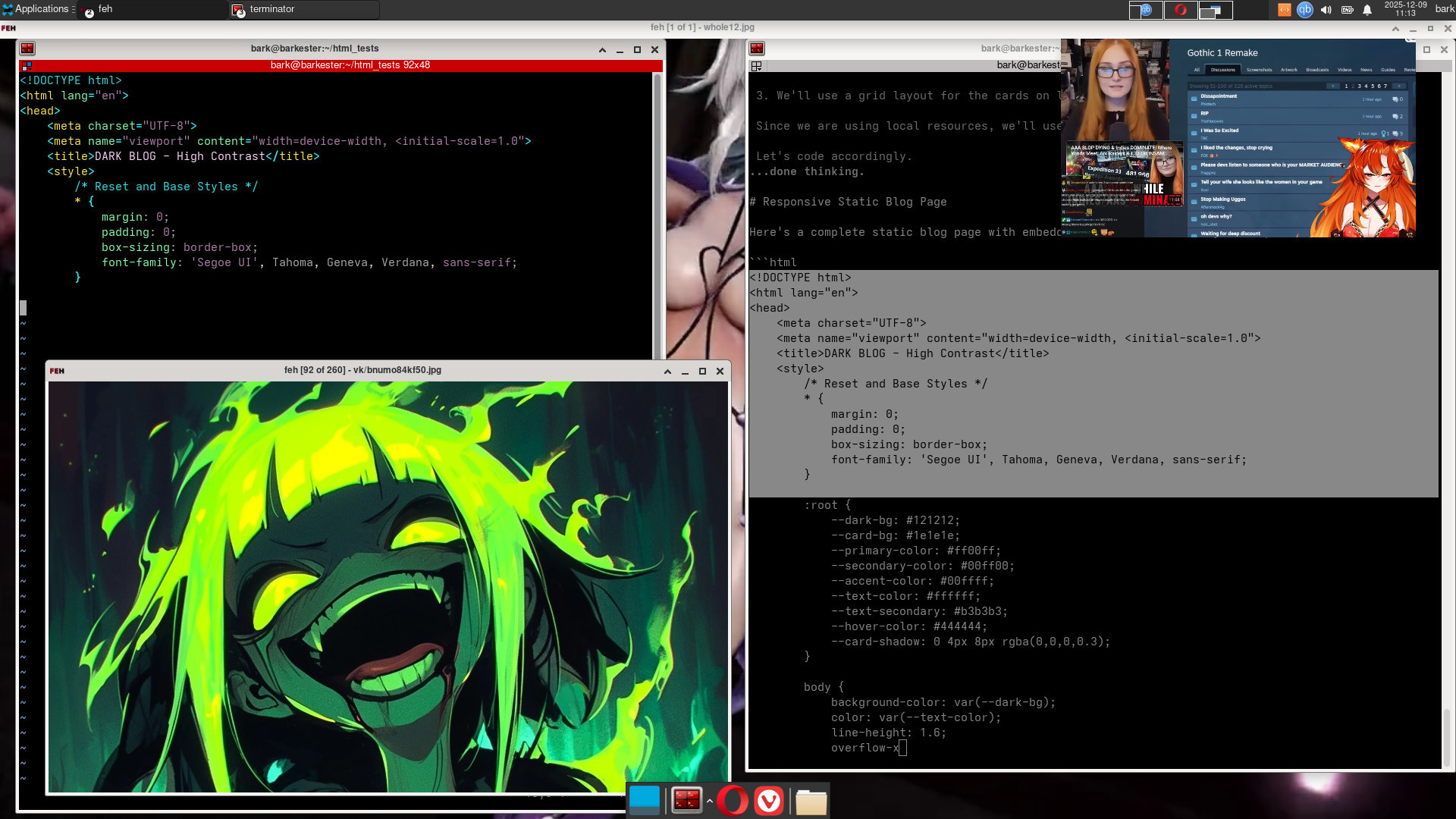
My example will use locally installed Ollama infrastructure with the Deepseek-r1 model. Ollama.com has many offline installable models to choose from. Vram of 4gigs seems the minimum.

A text editor
My example will use Vim with html syntax on.

A web browser.
My example will use Vivaldi or Opera. One case where being first ain't so good.

An operating system. Most anything can do.
My example will be Archlinux. I do everything from the command line which meshes wonderfully with text, html, Ollama and Deepseek.

A picture application. Gimp is ridiculously professional. Gthumb is way easier and does most a website needs. I use both.

A vid application. The absolute king is ffmpeg. If you use anything else, it is probably a wrapper with a part of the ffmpeg code inside. For every option on earth, though, you gotta go ffmpeg. Catch is, no GUI.
Shotcut and Avidemux both do good work with many option. opensource and free as usual.

Any cheap computer can do if you use online Deepseek. Offline will require a minimum VRAM of 4 gigs. Both work fine for this project.
Opensource

what do I need to know?

Mostly html basics and some CSS. You needn't be a master. You need to know the syntax for which a good text editor can be very helpful.

You need time. offline each page takes over an hour with my 4vram. Usually much longer. Onlining it can be faster for those in a hurry. I tested the Deepseek app for Huawei/Harmony and it was god fast and all you download is the text it spits out.

Basic computer skills. Typing and knowing your file tree. This example comes out in pieces that must be assembled. Why and how later. Suffice to say, you can't just tell it to make you a website and get something useable. You must know the pieces you need, make them and assemble the whole correctly after.

The directions here assume you have these basic skills. Should be easy.

Opensource

Successful Query Concept

First, It reminds me of teaching different levels. Uni students can focus for some hours. Primary students an hour. Kindergartener 15 minutes. A dog 5 minutes. A crocodile 0.
Stay within thier limits and they do quite well. Deepseek does a single page with all CSS embedded very nicely. Deepseek likes small definable pieces. I do pages.
One page of anything. It does scripts in many languages nicely, but all share the characteristic: You need to know something about it to query and identify the useable output.
Deepseek is gonna choke big time if you shove a website down it's throat. You'll awake tomorrow to it still waxing poetic and pining over the fjords.
My tests show it does a great page, though. So, One page it will be.

Second, CSS will be specifically embedded into every individual page. A simple redundancy that keeps things to page scale and management easy.

Third, No outside resources (pics, vids, etc.) will be required, wanted or allowed. This keeps Deepseek from using outside links noone needs. This allows easy offline testing, control and maintenance. I give specific local locations for clarity.

Last, be specific as to parts. Cards, header, footer. See the example. this is a creative part.

Opensource

Customisation

Deepseek reminds of those old genie stories where the genie always finds another meaning for the request which ruins it.
For text boxes, I have found it interesting to have Deepseek go ahead and write something to fill the space. Give it names for the titles and it can be entertaining. This sets all your formatting and you can change the text easy later. Key though is you must specify word counts and I like to specify the number of paragraphs, cards, pics, etc..
Remember, deepseek is a really cool fast stupid calculator that can talk. It does repetitve tasks well without boredom. Be sure it does your CSS and specify that it should be useable on "all common devices" and it can really shine.
Your best short cut is to follow an example. Here is an example query for a page. Could save many alot of time.:

Write a simple static blog page html with embedded CSS. It needs to be useable on all common devices. The header should have links Home, Blog, Tutorials, Testimonials, Linux & Opensource, Cycling, About Us and Contact Us. Images are in local storage images/image_001.jpg. A large bold title at top At center is a video player. It will play from local location vids/sample.mp4. 'Designing the perfect catgirl sex android for under $300,000.'A large text area below has a 200 word essay. Whole page needs to be vibrantly bloody reds with high contrast and colorful.

Opensource

What the Example can Teach You.

Keywords take time to discover. The AIs lose context constantly. Note carefully the keywords chosen in the example. Any good AI should spit out an html with embedded CSS you can try and compare.
Deepseek will start by describing the activities it's about to perform. Note every phrase and term relevant to your projects. Deepseek gets confused by synonyms very easily and you need to learn how Deepseek uses English in relation to nearly everything. For example, I would describe a card within a page all in one sentence as if I try later to refer to said card without a proper name given, It may offer the 3 of clubs, Uno or perhaps a Pokemon Collector's edition. Never forget Deepseek is retarded.
All about keywords. I need pages, but not paper. Cards but not games. Links, but not accessories. Context must be braindead clear using common words with synonyms or Deepseek will pine for the fjords 'till sunrise.
I did a lot of grunt work and found that when I wasn't sufficiently clear, I could often follow the output and see somewhere along the long levee, the AI applying it's favorite term to the subject and I note it for later. Collect them.

Also, notice how incredibly flatly detailed my query gets about the formats, file locations and other options. If you do not specify, it will outsource every fucking time. Grrrr. Be painfully specific, like you are teaching your dog to code. Success can follow.

Opensource

Building a Library

Computers and scripting are good 'cuz they can do the same thing a million times. So, why the one page thing?
Starting at page one, there's much that is indeed not reusable for the same site. Only need one front page. What you save is the style at this point. So do it several times 'till you got your look and save that. Just a start. Your main styling is done.

What I call layer 2, these can be remarkably similar. On my site, Linux, Cycling and Tutorials are all the same with different content. a 3 for 1. Getting better. All the color and style was just copied over from the front query to the new ones. After, I made 2 copies and changed text and pics. Done.
And by layer 3, one is dealing with multiple pages. All cycling pages forever or all Linux pages forever,... Make the first using much of the previous style. copy and organise the cards and whatnot in 002.html, 003.html, etc., for the new subjects. Just content from there.
Keep the queries copied in a text file for quick use for later. Your site htmls are thier own templates now and expansion is easy. This is extra important for the CSS and formatting thats the same across your site. Mine all share headers and colors, so I keep it all neat at the top of the query. Later, I can cut and paste, than delete everything after this point and add the specific page details only. Keeps your style consistant, too.

Opensource

Helpers Don't Help

Do it yourself and not only make things easier long term, but save money and headaches. People are selling all this as complicated. Its not.
First off, you don't need any special software to write this website. Its a text file. Use a text editor with html syntax.
And be specific that ALL resources will be local. All CSS will be local. Why? Google and Cloudfare want to "help" you, which is never good.
So, lets say your website uses a common font. If you do not specify, Deepseek may decide that everytime anyone on the planet wishes to use your site, Cloudfare will be informed about the transactions involved as it supplies the font that you actually already have stock in any operating system. Its the flashlight needing an internet connection again. Garbage and worse. Whenever Amerikan internet traffic is slow, your local site now slows as it goes across oceons and back.
Best to have all resource in the same country. Not all countries have fiberoptic cables. Sometimes said cable go down. As my site is 99% for people in this country, it seems nonsensical to add such complications and dependancies when we can just use whats on the computer. Keep a few pics and a short webm vid for testing and it's all you need. Make in 3 minutes on your phone. Upload. Done. No outside resources required.
So, insist on "ALL local resources" in queries when in doubt. Nothing from outside. Its best for you, your people, and allows offline testing which is real handy.

Opensource

Making Pages into a Website

Most any server you use will have a directory especially for your website. Some can be horribly complicated with all sorts of files. Quack. Pointless.
We are again skipping the "helpers". they totally remind me of the touts at some country borders selling visas and services to the unknowing while those who know better simply walk past them all and do it easily themselves. Older than Rome.
If any want to share, they can link to anywhere and share there. I even encourage it. I hate social media and this allows me a presence without actually having to use it. Try it.
If any want to get in touch, phone, line, email and more are available. Anyone wanting to donate can use my QR code. All this and more require almost zero extra security. Here's why.
Only I can change my site in any way. Noone else can write without direct write access to the html files themselves. this is called a "static" site and is reaaally simple and easy (except for the CSS nightmare we Made Deepseek do. Heh Heh).
Our site has only 2 directories and html files. Nothing else. 0. Keep one copy at home for editting and adding. I use Filezilla for uploading, free opensource as always. Just set your htmls to read only and you are golden. And if ever there is any problem, just overwrite from your home backup. Never had to do that though.
Organize and test it all offline using Opera or Vivaldi. Don't test with Chrome or Firefox. the latest aren't for everybody and we want everybody.
Keep pics small. Loads of applications can do. I use Gimp and gthumb, both free opensource.
Vids take a bit more. These are easily made in 2 steps (1 script) from any video package with ffmpeg (free opensource). Size is another easy fix. I start with mp4s from a phone that are pretty large and mux them into 480p and webm. I could host thousands at the finish weight (20gig limit) and they run perfectly online.

Opensource

Monitoring the Query.

As Deepseek describes what its gonna do. Dont' walk away. Scan. If (when) it goes off into the weeds, stop and rephrase. Try again. Do not wait. No BS. Deepseek can wax poetic for hours and hours. Also, your terminal has a limit after which data just "falls" out the top and you lose it entirely. You can't just come back and expect anything useable. Scan. Start some music, coffee, some good smoke. Now, ready? Comfy? good deal. Press enter.
Eventually, it will output a shebang and it's on. copy and paste it into a text browser. Get it before it falls out. No stress. nothing is fast. But you gotta be there. When you see the end of the html file come up, copy the last bit, save and test offline. Than add all your links, pics, vids, texts, etc., and test again. You should have something useable.

Just copy the query text into your Deepseek, copy the html output and try it out. Hope it helps.